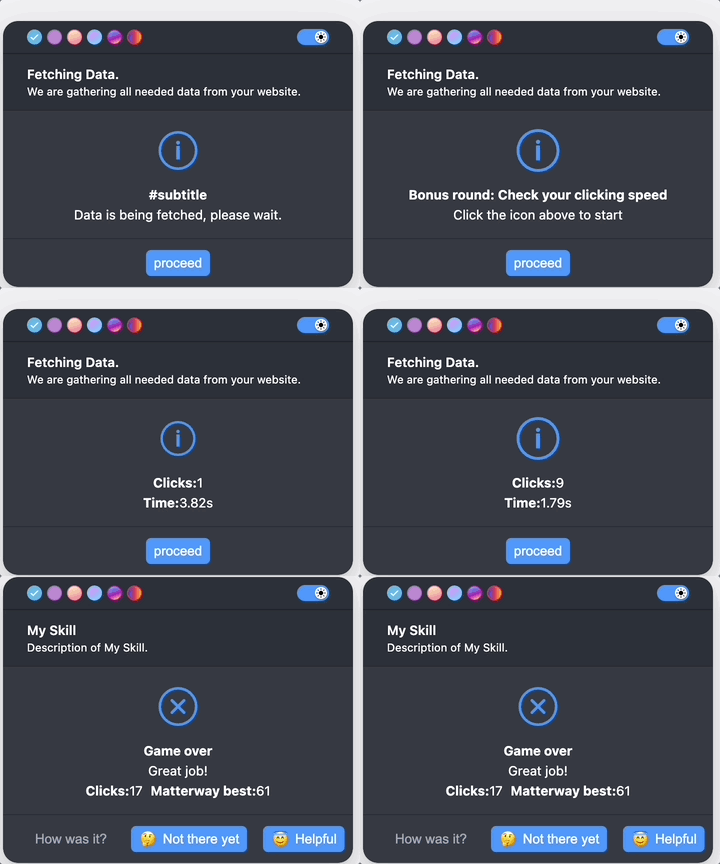
Appearance
Function: showNotice()
ts
function showNotice(ctx: Context, options: ShowNoticeOptions): Promise<NoticeBubbleResult>;Defined in: src/notice/showNotice.tsx:159
Parameters
| Parameter | Type | Description |
|---|---|---|
ctx | Context | Context object. |
options | ShowNoticeOptions | Notice configuration: title, text, buttons, icon, game, and more. |
Returns
Promise<NoticeBubbleResult>
The notice bubble result, including the button the user pressed.
Deprecated
Use showUI.message instead.
Show a notice bubble to the user.
Examples
ts
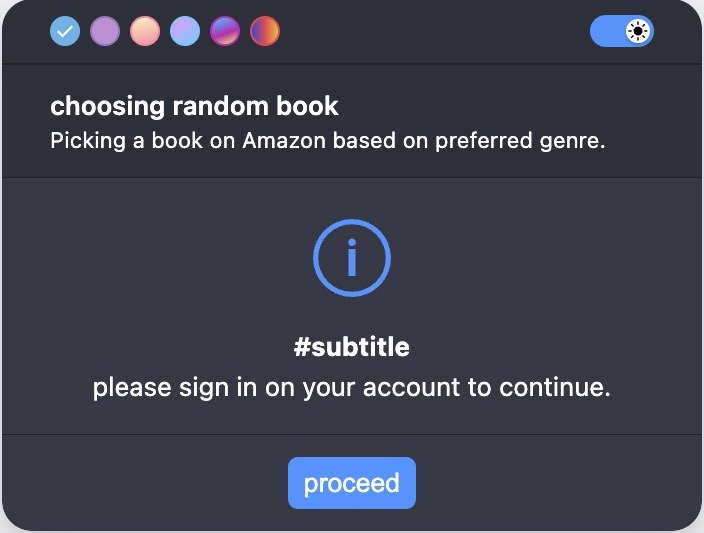
await showNotice(ctx, {
  title: 'choosing random book',
  description: 'Picking a book on Amazon based on preferred genre.',
  subtitle: '#subtitle',
  text: 'please sign in on your account to continue.',
  buttons: [{
    text: 'proceed',
    value: 'ok',
  }],
});
With custom icon and color
ts
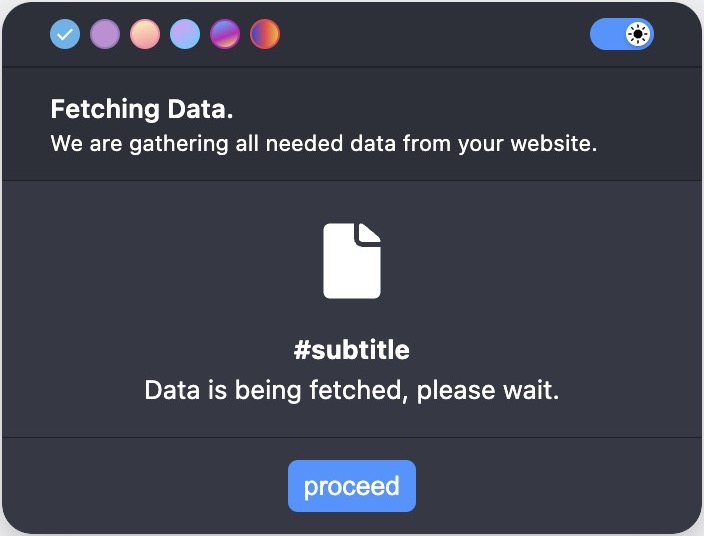
await showNotice(ctx, {
  title: 'Fetching Data.',
  description: 'We are gathering all needed data from your website.',
  icon: 'document',
  iconColor: 'white',
  subtitle: '#subtitle',
  text: 'Data is being fetched, please wait.',
  buttons: [
    {
      value: 'ok',
      text: 'proceed',
      disabled: false,
    },
  ],
});
With status messages
ts
await showNotice(ctx, {
  title: 'Matterway Skill.',
  description: 'Fetching and filtering data.',
  text: 'All data has been fetched and filtered.',
  statuses: [
    {text: 'Data fetched successfully.'},
    {text: 'Data filtered successfully.'},
  ],
  buttons: [{
    value: 'ok',
    text: 'Thank you.'
  }],
});
With Clicker game
ts
await showNotice(ctx, {
  title: 'Fetching Data.',
  description: 'We are gathering all needed data from your website.',
  subtitle: '#subtitle',
  text: 'Data is being fetched, please wait.',
  game: 'clicker',
  buttons: [
    {
      value: 'ok',
      text: 'proceed',
      disabled: false,
    },
  ],
});